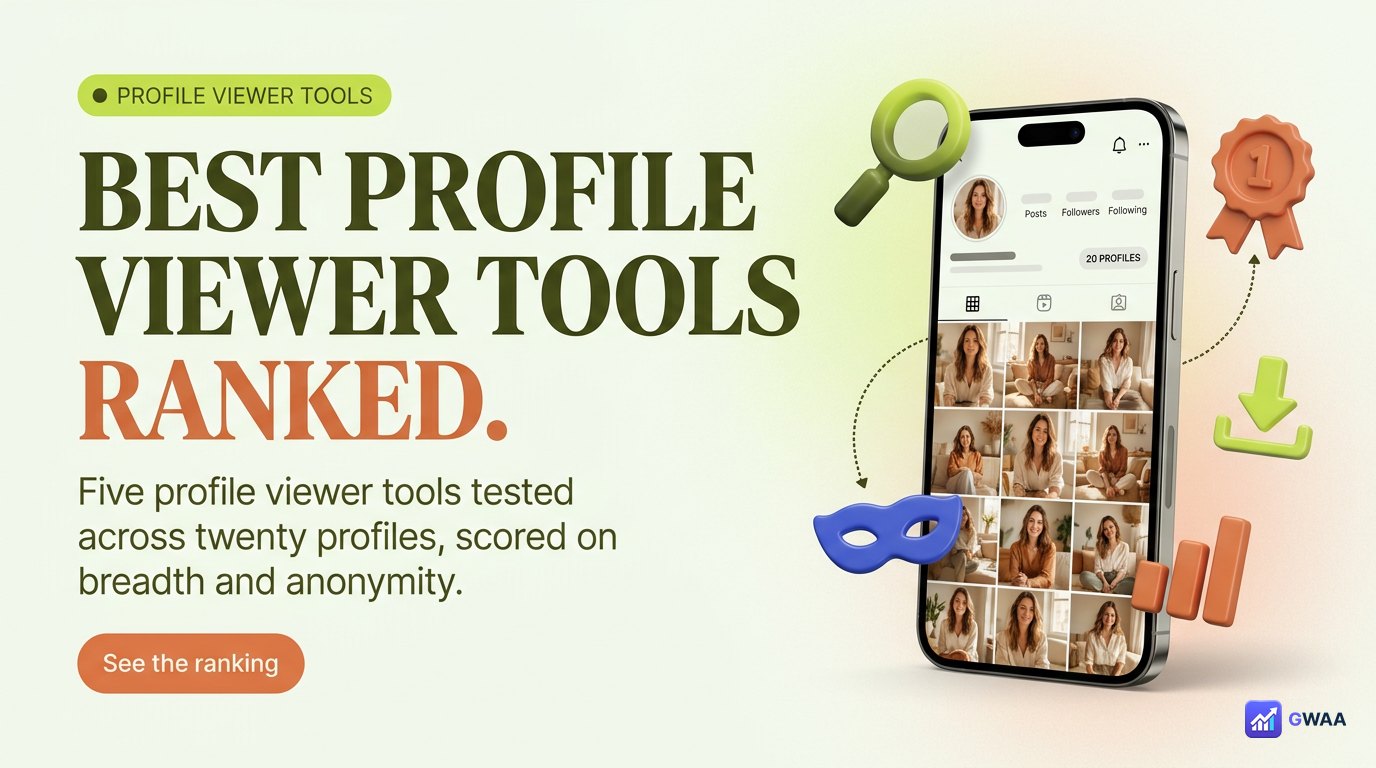
The best Instagram profile viewer tools in 2026 are: 1. GWAA Profile Viewer (free, anonymous, built-in analytics — our top pick), 2. Picuki (mature desktop browser experience), 3. Imginn (cleanest visual grid), 4. SmartIG (best discovery and hashtag search), 5. InstaDP (profile-picture HD download specialist). All five work on public profiles only — no tool reads private accounts.
⚡ Key takeaways
- Five reliable profile viewers in 2026 — GWAA leads on feature breadth and anonymity.
- Each tool has a different strength: anonymity, desktop UX, visual layout, discovery, or single-feature specialty.
- Every legitimate tool reads public data only — private accounts are blocked at Instagram’s server.
- Avoid any tool that asks for your Instagram password, claims to view private profiles, or charges to “unlock” data.
- Pick by use case: anonymous viewing + analytics (GWAA), desktop browsing (Picuki), visual moodboard (Imginn), search (SmartIG), avatar download (InstaDP).
How we tested

The five tools below were tested across the same 20 public profiles (mixed niches: travel, fashion, tech, food, fitness). Each tool was scored on:
- Profile load + stats visibility. Does it correctly show username, follower count, post count, and bio? Any data missing or wrong?
- Post grid rendering. Does the post grid load cleanly with thumbnails in the right order? Are videos and carousels distinguishable?
- Anonymous fetch verified. Does the tool fetch content server-side so no view event fires for the visitor’s Instagram account?
- Tracking and cookies analysed. What does the tool track? Does it set persistent identifiers? Is the privacy story clean?
- Load speed and reliability. Average load time across 20 profiles, plus stability under repeated requests.
The ranking reflects the average score weighted by feature breadth. A tool that does one thing perfectly ranks behind a tool that does several things well.
The 2026 ranking

The top five:
GWAA Profile Viewer
Best overall: anonymous, no login, built-in analytics included free.
Picuki
Mature, browser-friendly desktop pick. Long track record.
Imginn
Cleanest grid view, photo-first design. Light on data, heavy on visuals.
SmartIG
Search-focused. Best for discovery by hashtag or location.
InstaDP
Profile-picture HD download specialist. Narrow but excellent at its one job.
#1 GWAA Profile Viewer — viewer + analytics in one

GWAA Profile Viewer wins the top spot because it’s the only tool in the test that combines anonymous profile viewing with built-in profile analytics, both free, with no login.
The interface is mobile-first. Type any public username, and you get a clean view of the profile (avatar, stats, bio, post grid) plus a small dashboard panel showing engagement rate, posting cadence, and best-performing post format. Everything is fetched server-side so your name never enters the owner’s analytics.
Why it ranks #1: No other tool in the category bundles both viewing and analytics for free without login. Picuki shows the profile but no analytics. Phlanx shows analytics but no full profile view. GWAA is the merge.
Best for: anyone who wants to see a profile and understand it in one session. Marketers researching influencers, brands vetting potential partners, anyone curious about an account’s real numbers.
#2 Picuki — the desktop browser pick

Picuki is the most established profile viewer in the category. It has been around since before the current wave of viewer tools and remains very reliable, especially on desktop browsers.
The interface is dense by mobile standards but works smoothly on a large screen. Profile pages load fast, post grids render cleanly, and Picuki supports browsing tagged posts and reels separately. The downside: it carries banner ads and occasional interstitials — tolerable but noticeable.
Why it ranks #2: Long track record, very stable, full feature set. The ad load and the lack of native analytics keep it behind GWAA.
Best for: desktop power-users who research multiple profiles per session and want a familiar, dependable interface.
#3 Imginn — the visual-first option

Imginn takes a completely different design philosophy: minimise chrome, maximise photo. The interface looks like a curated gallery rather than a data tool. Stats are present but de-emphasised; the post grid is large, clean, and the visual focus.
This is wonderful for moodboard work and aesthetic research. It’s less useful if you actually need numbers or analytics — those exist but you have to scroll for them.
Why it ranks #3: Best-in-class visual presentation, slightly less data depth than GWAA or Picuki.
Best for: designers building moodboards, photographers studying competitors’ aesthetic, anyone whose research is about the imagery rather than the metrics.
#4 SmartIG — the search-focused tool

SmartIG’s differentiator is search. Every other tool in this list assumes you already know the username you want to view. SmartIG lets you discover profiles by hashtag, location, or content type. That makes it the right tool when you’re researching a category rather than a specific account.
Profile-view quality once you find an account is decent but not as polished as Picuki or Imginn. The trade-off is the search depth, which the others lack entirely.
Why it ranks #4: Unique discovery angle, but the core profile-view experience is average.
Best for: researchers who don’t know which accounts they’re looking for yet — influencer-marketing scouts, brand researchers, journalists building source lists.
#5 InstaDP — the avatar-download specialist
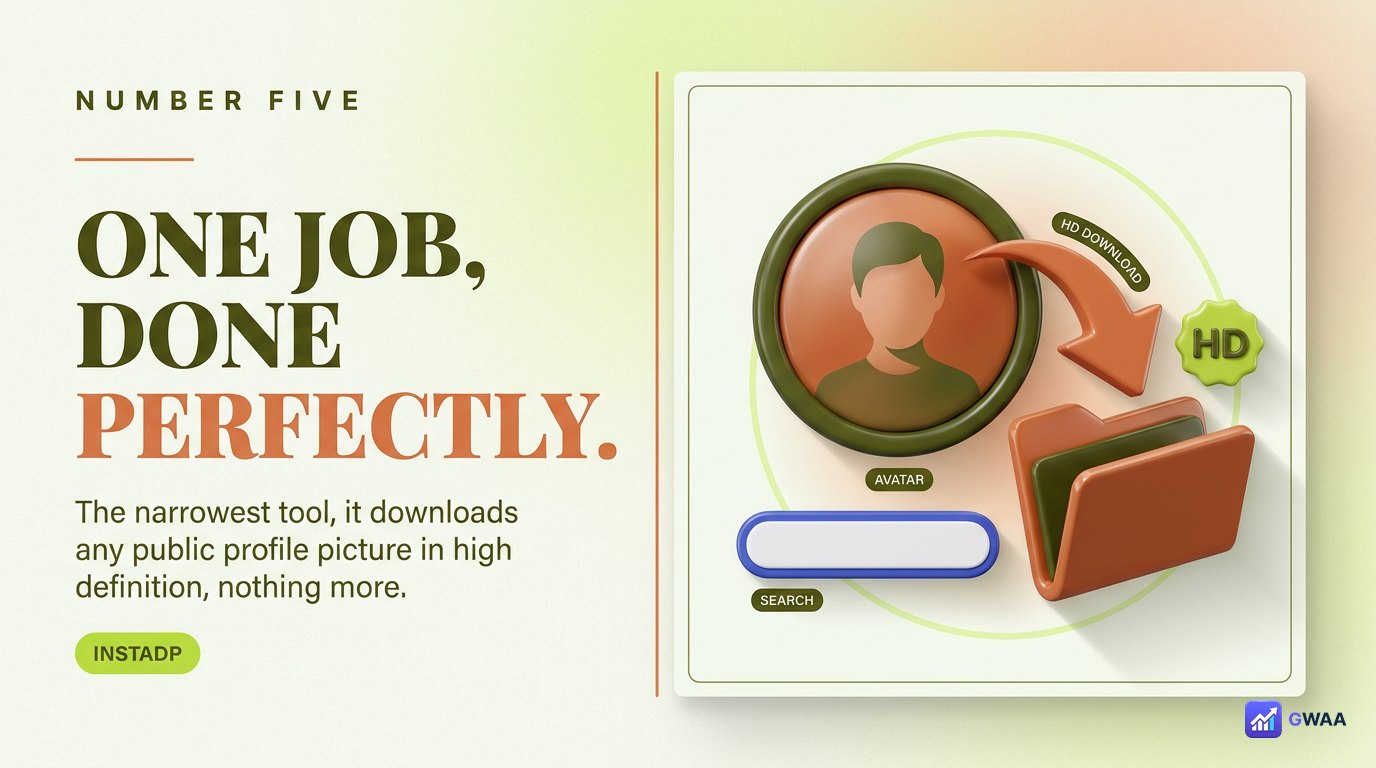
InstaDP is the narrowest tool on this list. It does one thing: download any public profile’s profile picture in HD. That’s it. No profile view, no posts, no stats. Just a search bar and a download button.
Why does this make the list? Because nothing else does it as cleanly. Instagram’s own app shows the profile picture at small sizes and won’t let you download it. Most profile viewers offer it as an afterthought feature. InstaDP makes it the only feature, and the avatar download is the highest-quality version you can get.
Why it ranks #5: Narrow use case, but the best in class for that specific job.
Best for: designers who need a profile picture for a press kit, reference, or design mockup; podcasters making thumbnails for guest interviews.
Feature matrix — side-by-side
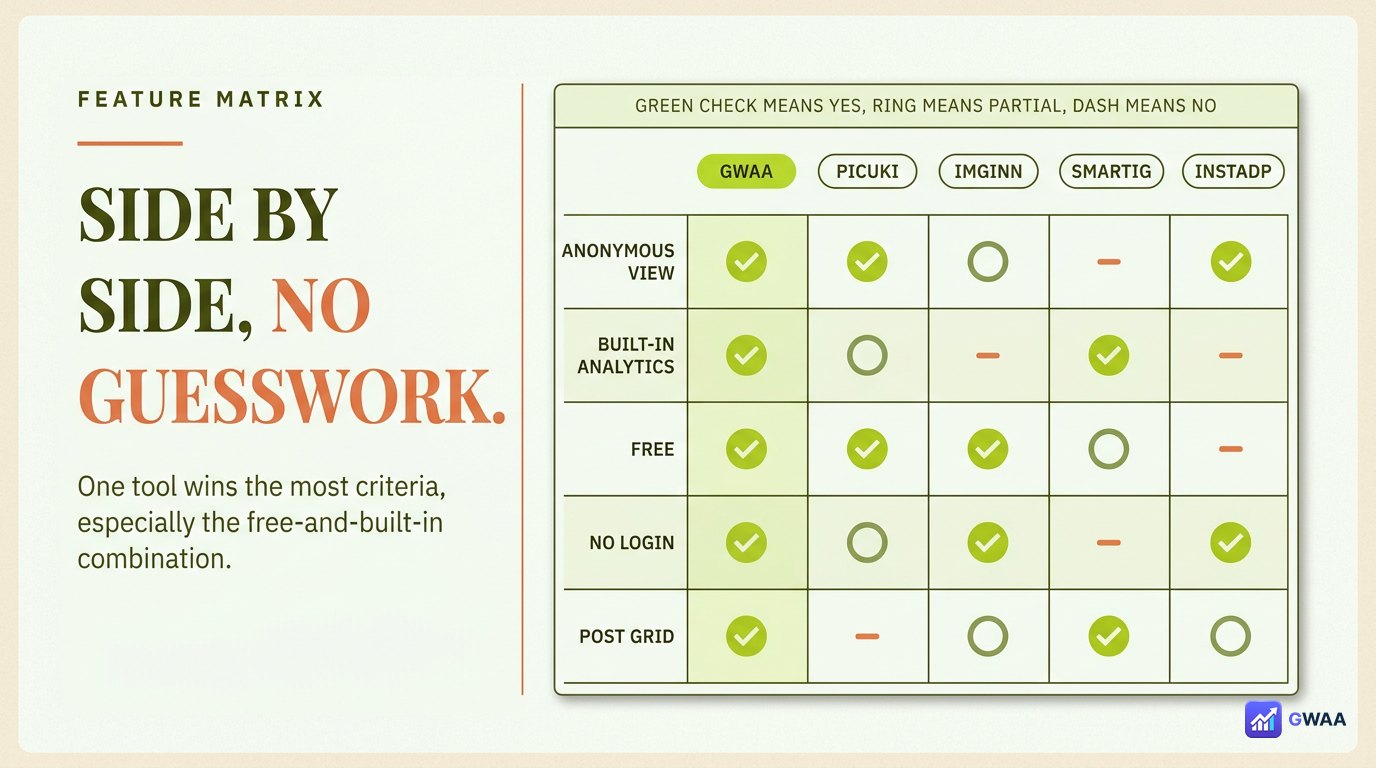
The headline numbers:
- Free across all features: GWAA, Imginn, InstaDP. Picuki and SmartIG have free tiers but some features paywall.
- No login required: All five.
- No ads: GWAA only. Picuki, Imginn, SmartIG, InstaDP all carry some ad load.
- Built-in analytics: GWAA only.
- Mobile-first design: GWAA, Imginn.
- Anonymous fetch: All five (any legitimate tool is anonymous by design — that’s how server-side fetching works).
GWAA wins the most criteria, which is why it lands at #1. Each of the others wins specific use cases — the right tool is the one that fits the job.
Tools to avoid — three giveaway flags
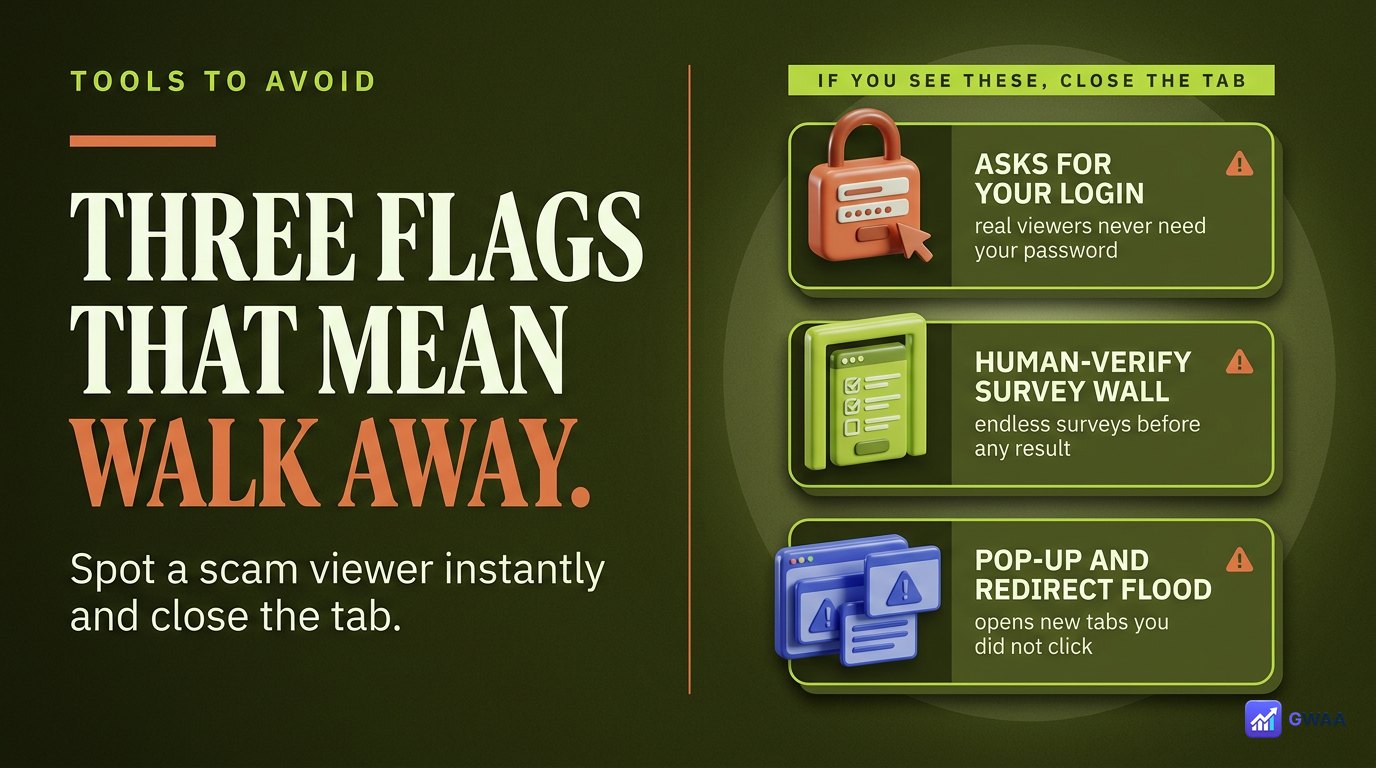
Three flags identify a scam tool instantly:
- It asks for your Instagram password. No legitimate tool needs it. Asking is credential harvesting.
- It claims to view private profiles. Impossible — private profiles are locked at Instagram’s server level. Any tool claiming otherwise is selling false hope or a survey-funnel scam.
- It charges to “unlock” profile data that’s already free. All five tools in this list show the same profile information that’s freely visible on the Instagram website. Charging for it is just rent-seeking on confusion.
If any of these three are present, close the tab and pick from the five legitimate options above.
Which tool for which job

The decision tree:
- I want to see a profile and its real metrics in one session → GWAA.
- I’m researching dozens of accounts on a desktop → Picuki.
- I’m building a visual moodboard → Imginn.
- I don’t know which accounts to research yet → SmartIG.
- I just need a profile picture in HD → InstaDP.
Most workflows use 2-3 of these tools depending on the task. None of them lock you in, none require accounts, none charge for the core function.
Why having 2-3 tools beats picking just one
Every profile viewer occasionally breaks. Instagram tweaks its public endpoints once every few months, and downstream tools take a day or two to patch. If your usual tool is broken right now, a different one from this list is almost certainly working — they don’t all use the same fetching technique, so an Instagram change rarely breaks all five at once.
Keep two or three of these bookmarked. When one fails, swap. The cost is zero (all free); the benefit is uninterrupted research time.
The accounts that take research seriously also rotate. Use GWAA for daily anonymous viewing + analytics. Use Picuki when you’re working from a desktop browser. Drop into SmartIG when you need discovery. The tools don’t compete — they layer.
What the category looks like in the next 12 months
Two trends are visible in the viewer category right now:
- Analytics integration is becoming table stakes. Five years ago, viewing was viewing and analytics was a separate product. GWAA represents the convergence — viewers that ship analytics built-in. Expect the rest to follow within 12 months or get squeezed out.
- Mobile-first design wins the next user generation. Picuki’s desktop-strong, mobile-weaker design is the legacy of an earlier era. The new tools (GWAA, Imginn) are built mobile-first because that’s where Instagram users actually live. Picuki will either rebuild or fade.
The five-tool ranking above is the current state. The 2027 ranking will likely have at least one new entrant and possibly drop one of the legacy names. Worth checking back periodically.
A word on privacy and the public-data principle
Every tool ranked above reads only public profile data — the same information that’s freely visible on Instagram’s website to anyone visiting the URL. This is structurally important: the tools aren’t bypassing privacy or breaking any terms; they’re just providing a more convenient interface to the data Instagram already serves publicly.
Private accounts remain entirely off-limits. Not because the tools choose to respect privacy, but because Instagram refuses to serve private data to any external request. The lock is structural, not policy-based, which is why no “workaround” tool can deliver what it advertises. The tools that respect this constraint and focus on doing public-data viewing well — the five above — are the legitimate category.
How free viewer tools actually make money
A natural question: if these tools are free with no login, how do they sustain operation? Three legitimate models exist:
- Display advertising. Picuki, Imginn, SmartIG, and InstaDP carry banner ads. The tools earn per-impression revenue from the visitors using them.
- Cross-sell to other products. GWAA Profile Viewer is one of several free utilities in the GWAA suite. Some visitors eventually upgrade to paid analytics or growth tools, which covers the cost of the free viewer.
- Affiliate revenue. Some tools earn small commissions by recommending Instagram-adjacent products to engaged users.
All three are clean. What you should be suspicious of: tools that charge upfront with no clear premium offering, tools that demand login before showing any results, and tools that sell their visitor data to third parties without disclosure. The five legitimate options on this list use the clean models above.
The 2026 verdict in one card

If you’re picking one tool: GWAA Profile Viewer — free, anonymous, no login, no ads, built-in analytics. Best overall in 2026.
If you need a desktop power-tool: Picuki. If you need visual focus: Imginn. If you need discovery: SmartIG. If you need an avatar download: InstaDP. The right tool depends on the job — the right ranking depends on what you’re optimising for.
Related guides
- How to view Instagram profiles anonymously — the workflow companion to this tool round-up.
- Instagram profile analytics explained — what to do with the data once a viewer surfaces it.
- The honest truth about private viewers — why no tool can read private accounts.
- Peekviewer vs other Instagram viewers — comparison to the wider viewer category.
- The anonymous Instagram viewer playbook 2026 — broader anonymous-viewing landscape context.